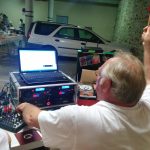
A powered speaker is quiet on its own but hums when connected to a laptop and measurement interface. It is tempting to blame the loudspeaker or eliminate the ground pin. Leave protective earth and equipment safety features intact. A safer and more informative test is to find the first connection that makes the noise appear.
Start With the Simplest Safe Signal Path
At a safe listening level, test the speaker and known-good audio source with the appropriate connection for both. Add the mixer, interface, computer charger and other accessories one at a time. Change only one connection per observation and record whether the noise changes with source gain, loudspeaker gain or neither. Use only equipment and test procedures allowed by the manufacturers.
Check Both Ends of the Audio Connection
An XLR or TRS connector shape alone does not prove the complete path is balanced. Check the source output and receiving input in their documentation. If the problem appears when connecting one specific device, compare another manufacturer-approved output or an appropriate audio isolation device as advised by the audio technician. If noise persists with no signal input, investigate the speaker or environment rather than blaming the interconnect.
The T802 edge computer I/O specifications can inform planning for a separate measurement or logging computer. Its listed interfaces are not evidence of a balanced analog audio input. Any audio connection must use an appropriate interface specified for the mixer and measurement system.

Write Down the Change That Actually Solved It
Repeat the original connection state and the corrected state without raising volume. Check that the correction still works when all needed equipment is powered normally. If a temporary battery-powered source was quieter, record that as a clue about the combination of devices, not proof of a specific fault. For mains concerns, stop and bring in qualified help.
If choosing the companion computer from TWOWIN, share the interface documentation and test setup. Keep audio signal and computer diagnostics separate in the acceptance checklist.
Conclusion
Localize the hum by adding one approved connection at a time. Solve the identified audio problem without modifying protective grounding.
Q&A
Can I lift the mains earth to see if the noise goes away?
No. Keep protective grounding intact. Have a qualified technician investigate the equipment or electrical installation if needed.
Does a balanced line always remove hum?
No. It can help with some interference when implemented correctly, but it will not repair faults elsewhere in the signal chain.
Cover photo: EJ Posselius / CC BY-SA 2.0 (resized).
Body photo: Pittigrilli / CC BY-SA 4.0 (resized).